Release Log - October 6, 2024

ยท 2 min read

๐ŸŒด Re-vamped Site Pageโ€‹

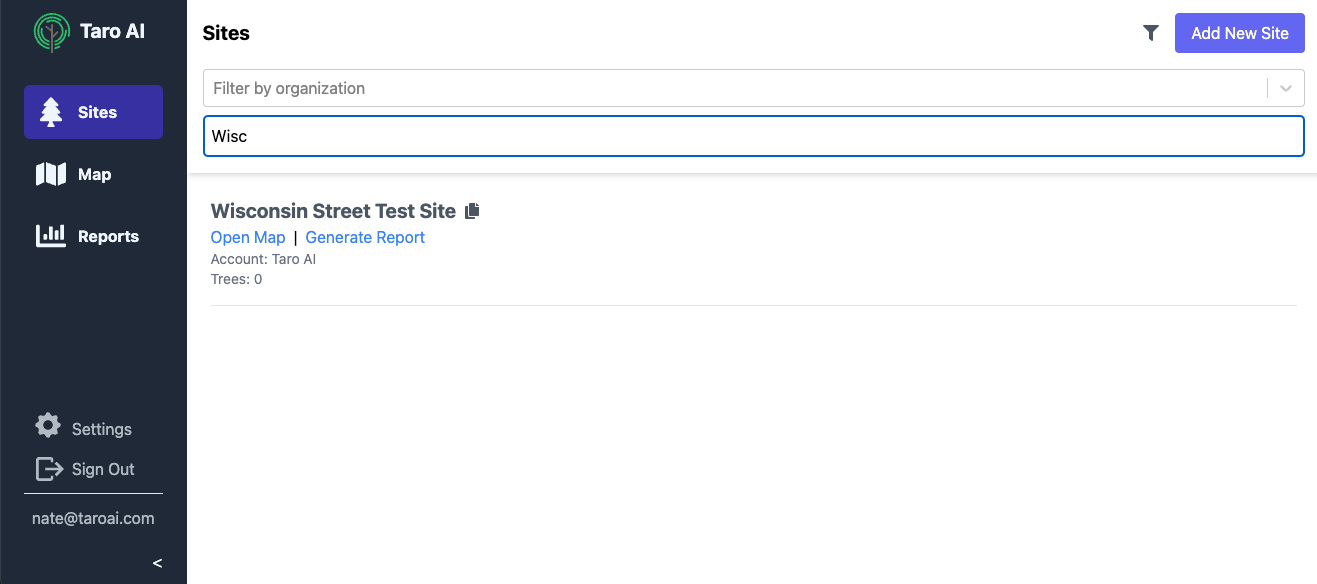
We re-vamped the site page to make it easier to navigate and use. You can now filter sites by account or name, and we'll add other filters in the future. We also now show details about the site itself, like the number of trees present for that site.
site_filter

๐Ÿ“ก Improved Image Uploadingโ€‹


We've enabled multiple image uploading from the camera roll, so if you have a bunch of photos to upload you don't need to do them one by one. We also now upload your images even if you close the tree view, so you can continue working while your uploads finish.

multi_upload

๐Ÿ“ Computed Fieldsโ€‹


Your form layouts can now include what we're calling "computed fields", which are fields that are automatically calculated based on other information about the tree. For example, you can use a custom formula to compute the DBH of a multistem tree, or you can calculate the amount of fertilizer needed based on the tree's size.

dbh_average

๐Ÿ“ Workflow Improvementsโ€‹

As always, we're working to make Taro easier and faster to use. We've added a number of small workflow improvements, like autofilling common species name, updating the species list with genus only options, a "snap to current location" option, and a bunch of other small improvements to be released this week.
Release Log - September 23, 2024

ยท One min read

๐Ÿ“Š Report Generationโ€‹

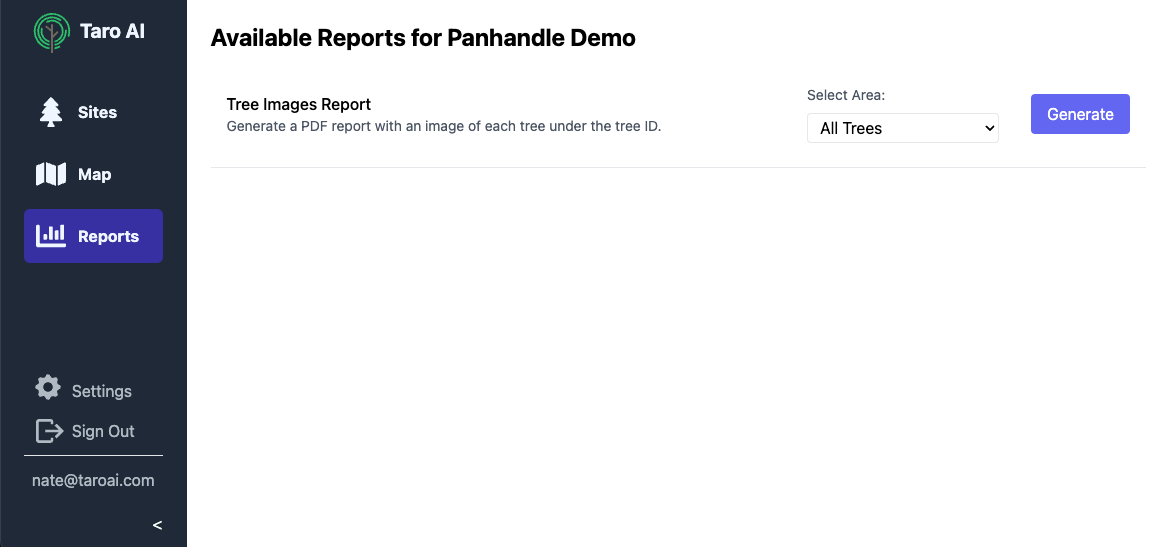
Creating reports is a tedious task for many arborists. Today we're releasing our new report generation feature that will help you automatically generate reports for your clients. The first report we're rolling out is the Tree Images Report.

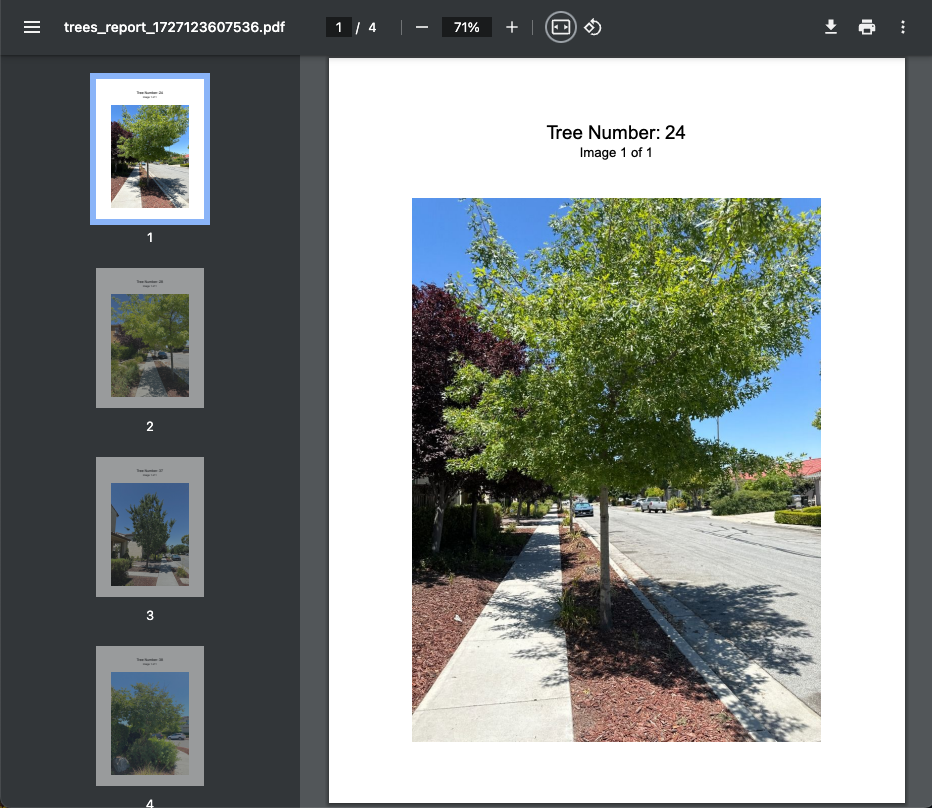
The Tree Images Report will generate a PDF with all of the images for trees in a site, and you can include the PDF in your report or as an appendix. You can include all trees, or just the trees inside a specific area. To generate a report, click the "Reports" button in the left menu and select "Generate":

report_generation

Once finished, you'll receive an email with a link to the report. Clicking the link will open the report in a new tab.

report_example

We're excited to continue adding new reports to help streamline your work. Let us know if there are other reports you'd like to see!

Release Log - September 9, 2024

ยท 2 min read

๐ŸŒŽ The Map Layer Updateโ€‹


Displaying your data in different ways can help both on the job site and in the office. We've added a variety of map layers to help you visualize your data. The map icon in the top left corner now opens a menu where you can select both how the trees appear as well as the text that overlays them.

map_menu

A few things you can do with this in addition to the default map layer:

  • Need to make sure you took a photo of every tree before you leave the site? Use the "Missing Images" layer to show all trees that don't have an image in red.
  • Need to make a map for a report showing unhealthy trees? Use the "Unhealthy Trees" layer to show all trees that are in poor health.
  • Need to send a map to a client showing the location of trees that need removal? Use the "Trees to Remove" layer to show all trees scheduled for removal in red.

In addition to different map layers, you can also overlay text on each tree. Use this to display tree IDs, DBH, or any other property on the map.

id_text

It's also easy to create new custom map layers. Reach out to us if you'd like to request a new map layer or have ideas for new map layers!

Release Log - August 26, 2024

ยท 2 min read

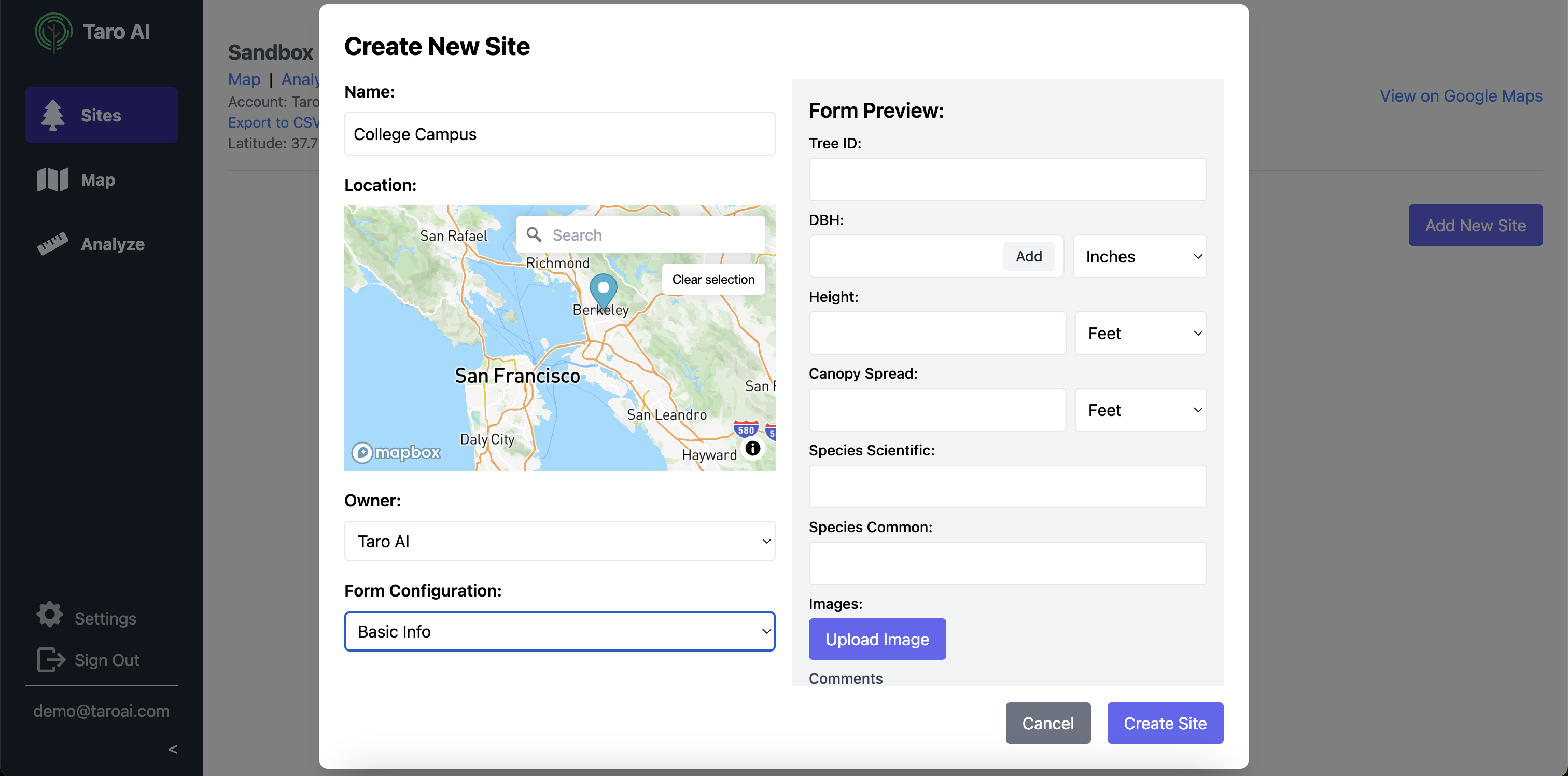
๐Ÿ” Self-Serve New Site Creationโ€‹

We've added the option to create a new site so users can add new sites themselves from the app. A preview of the form setup for this site is shown to the right. Select from the configurations used by your organization.

New Site Form

๐Ÿ”ถ Area (Polygon) Selectionโ€‹

By popular demand! Create and name polygon areas on the map, and export just the trees in that area.

Area Selection

๐Ÿ’ฝ Customized Site Surveysโ€‹

A bit of a behind the scenes change, but Taro AI now supports customized survey forms for each site. Want to use a different health scoring system? Want to specify how each DBH was measured? Need to add a "has bees" option for dangerous site? Pick whatever layout you want when creating a site, and if you want a layout that isn't listed we'll create a new one for you!

๐ŸŒต Multi-stem DBHโ€‹

No more writing multi-stem information in the comments! The multi-stem DBH field accepts both single-stem and multi-stem measurements.

Multi-stem DBH

๐Ÿ‘ฏโ€โ™€๏ธ Duplicate Buttonโ€‹

Ever had a bunch of similar trees in the same area? Now just hit "Duplicate" and we'll create a tree with the same information (minus the ID) for you to place on the map quickly.

Duplicate Button

๐Ÿ“‹ More Species Optionsโ€‹

We've added even more species to our species list, and added "spp." options for non-specific scientific species.

More Species Options